
Help
Your Partner Area, screen by screen
Before you even apply, discover what you will find every day: your Referrals, your Commissions, your statements and your payments, gathered in one place and always up to date.
Demonstration example: the screens on this page come from two fictitious accounts, and their amounts and codes belong to no one.
Everything is visible
Every figure that concerns you is shown in your area, with nothing to request.
Every Commission is traced
Each line shows the Referral, the month and the statement it comes from.
Every statement can be downloaded
As a PDF or as data, with a fingerprint that proves it is intact.
01 Dashboard
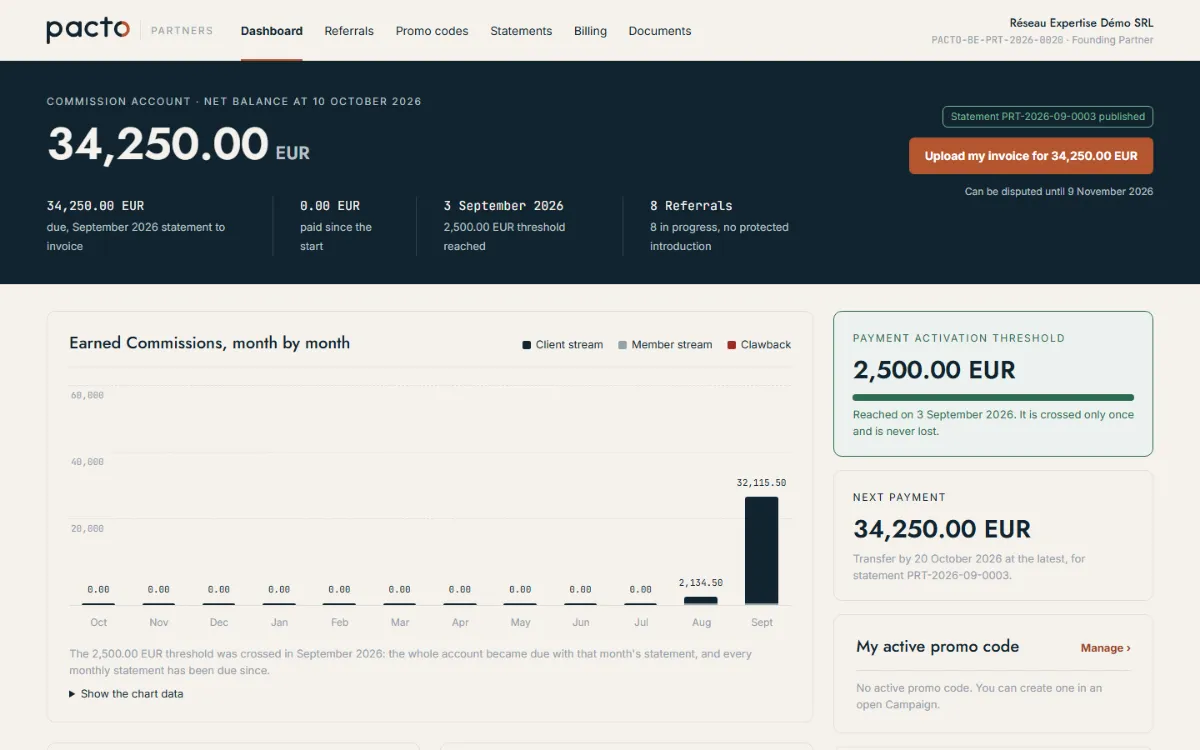
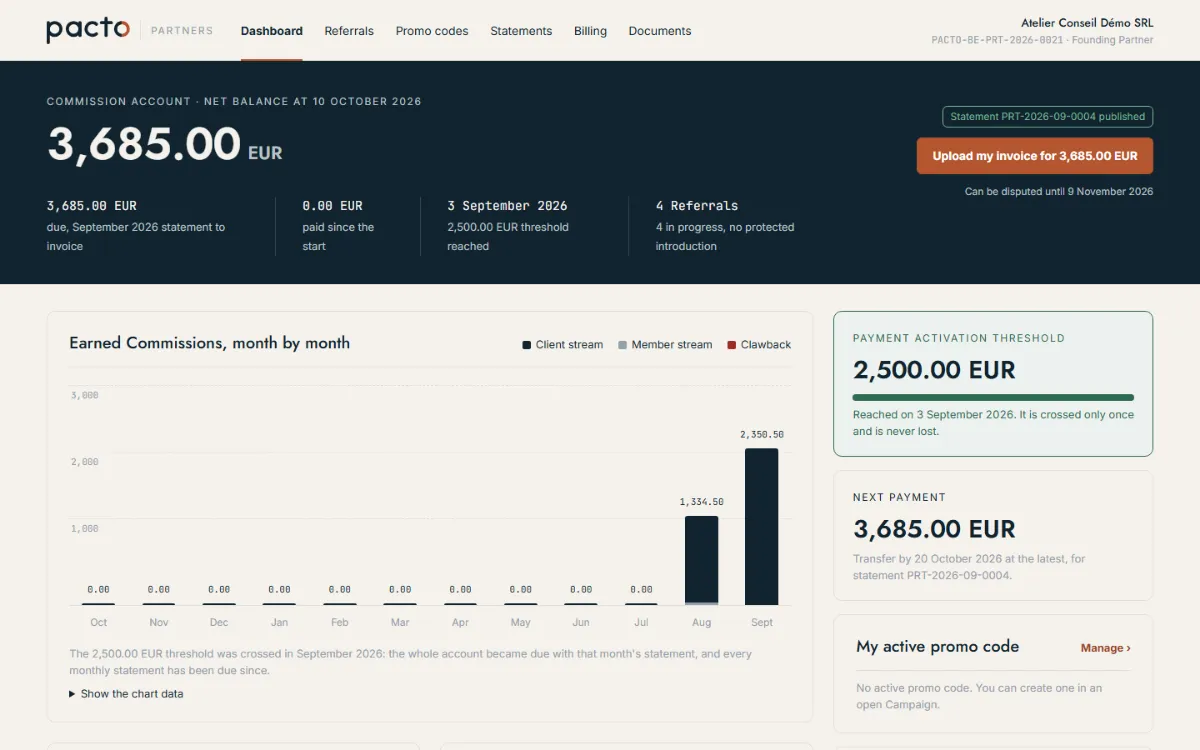
Your balance and your next payment, as soon as you open it
The dashboard opens on the balance of your Commission account, that is, the sum of the Commissions due to you. Right beside it, the Next payment tile shows the amount of your next transfer and the latest date by which it reaches you.
Landmarks of the screen
- 1Your account balance, as of today.
- 2The next payment: its amount and its latest date.
Switch from one account to the other: a network that recommends many companies, then a smaller firm. The screens stay the same, only the figures change.
02 Referrals
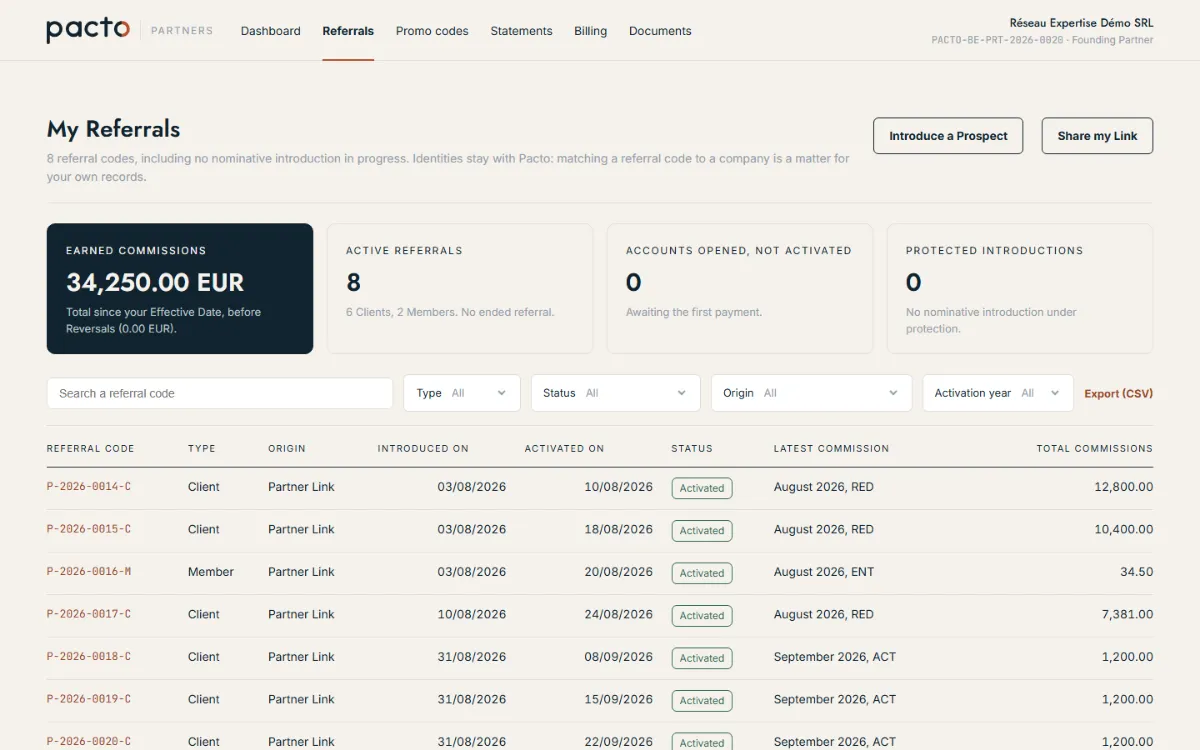
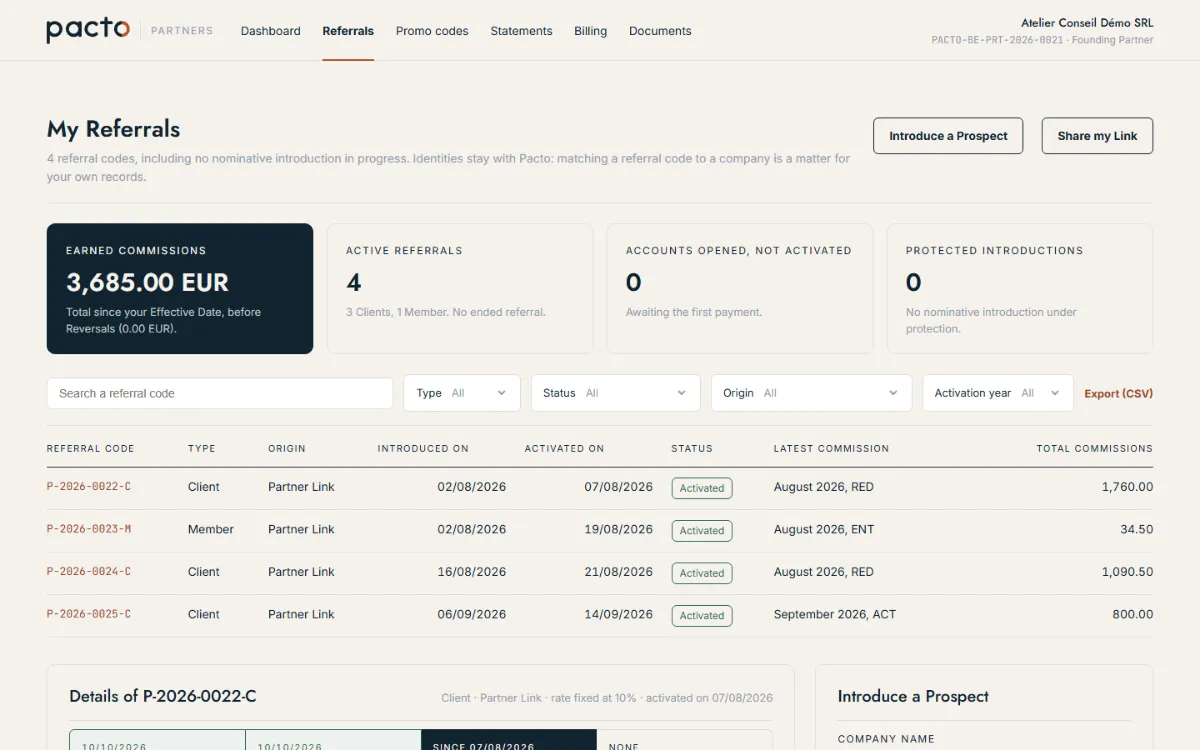
Every Referral followed by its code
Every company or professional you have recommended becomes a Referral, identified by a Referral Code. You follow its status, its activation date and each Commission it earns you, while identities remain protected at Pacto.
Landmarks of the screen
- 1The total of your Commissions since the start.
- 2Each Referral, its activation date and its latest Commission.
03 Promo codes
Your Link and your Code, ready to share
Your Partner Link and your Partner Code are always at hand, with a button to copy them. When Pacto opens a Campaign, you also create your promo codes there and see how many times they have been used.
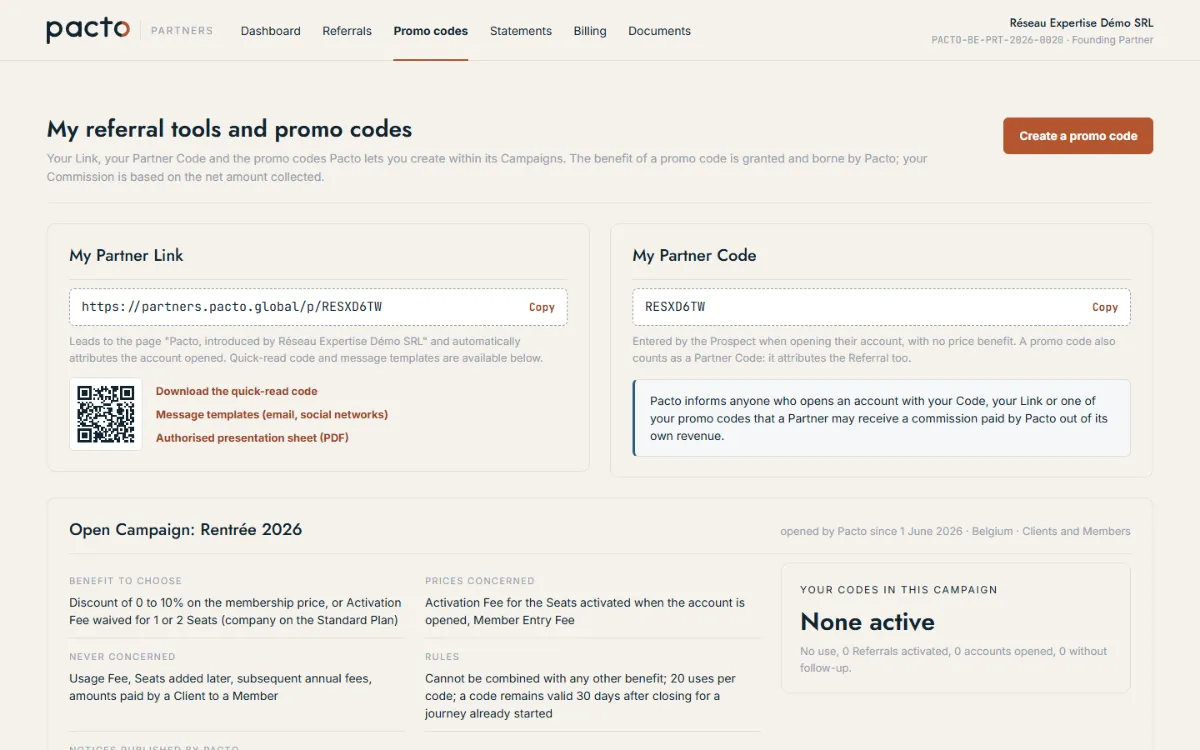
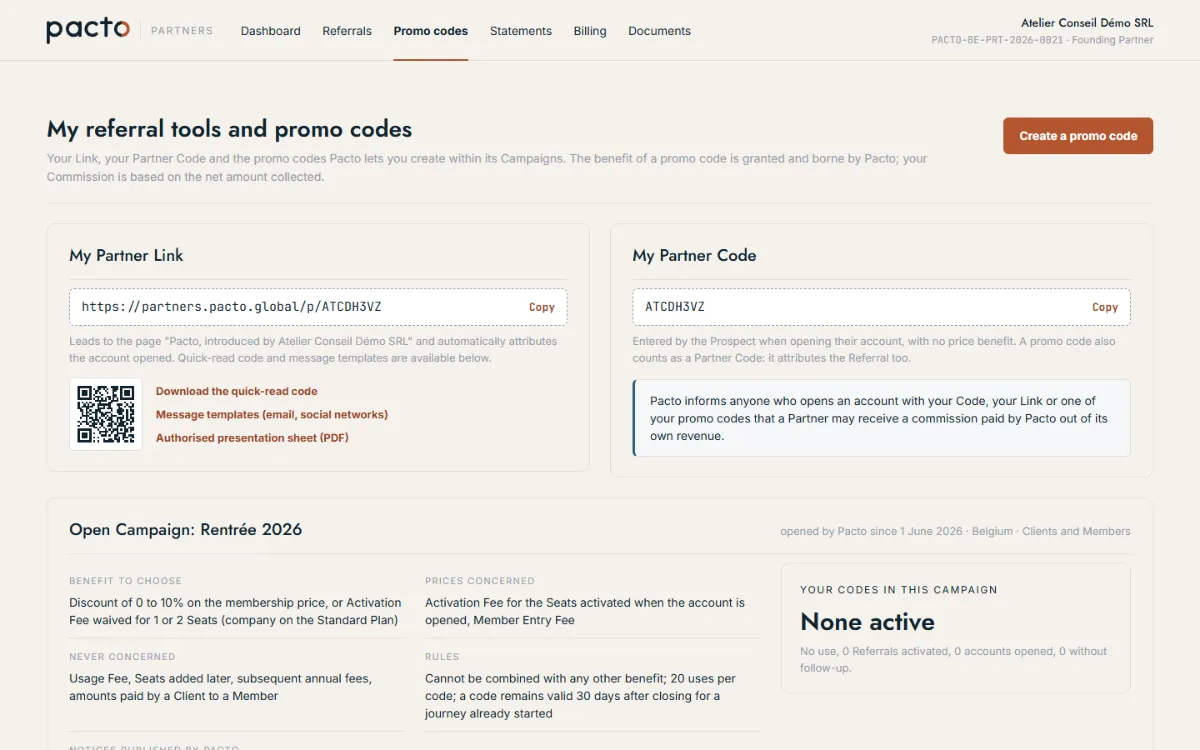
Landmarks of the screen
- 1Your Partner Link, copied in one gesture.
- 2Your Partner Code, to pass on by word of mouth or in writing.
04 Statements
A statement every month, to download and to check
Every month, your statement details the Commissions of the month line by line, Referral by Referral. You download it as a PDF or as data, and its timestamped fingerprint lets you check at any time that not a single comma has changed.
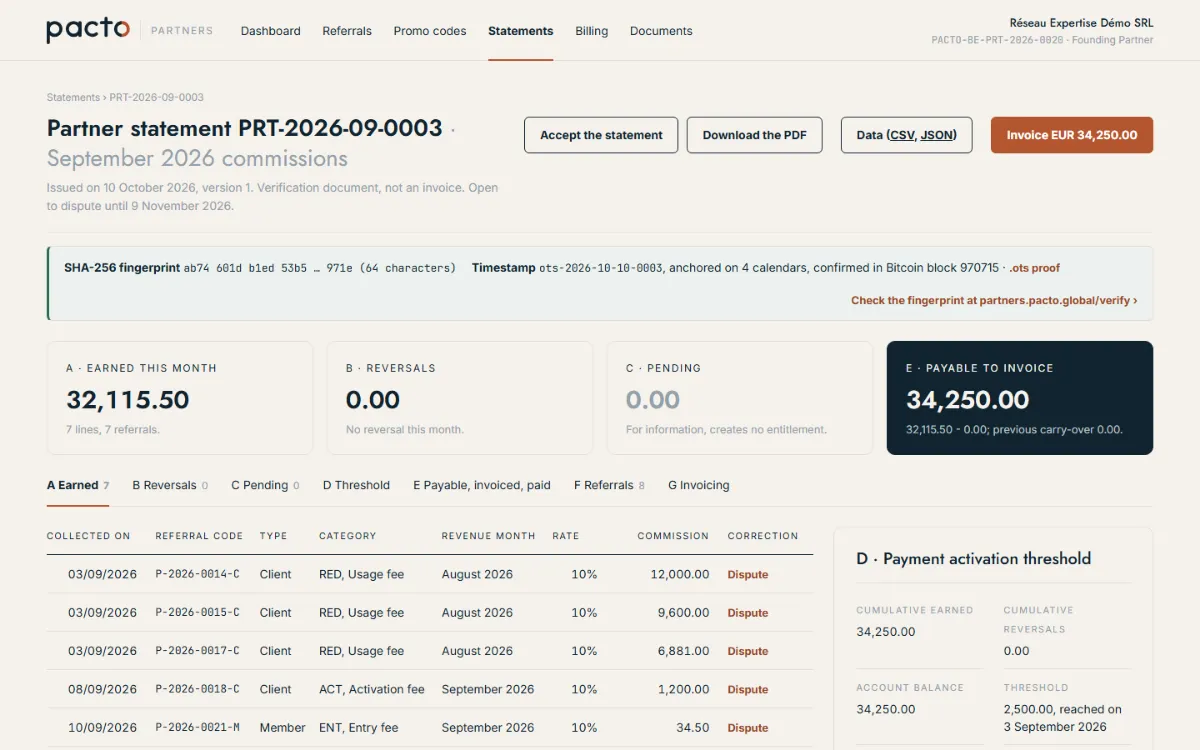
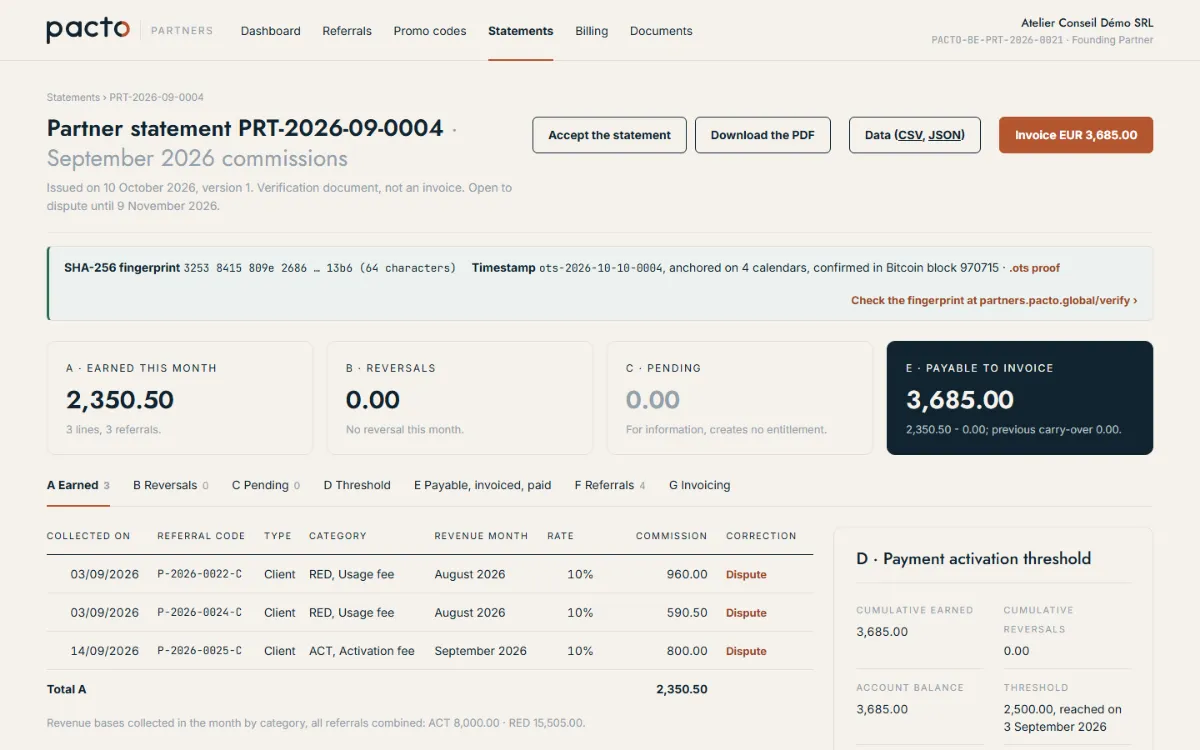
Landmarks of the screen
- 1The statement as a PDF, in one click.
- 2The fingerprint and timestamp that prove the statement is intact.
- 3The amount to invoice, calculated for you.
05 Billing
Simple invoicing, a payment followed step by step
The Billing screen takes up the month's statement and gives you the exact amount and the details to show on your invoice; if you choose, Pacto even issues it on your behalf. Each step, from the published statement to the transfer, is shown in order, and the total already paid stays in front of you.
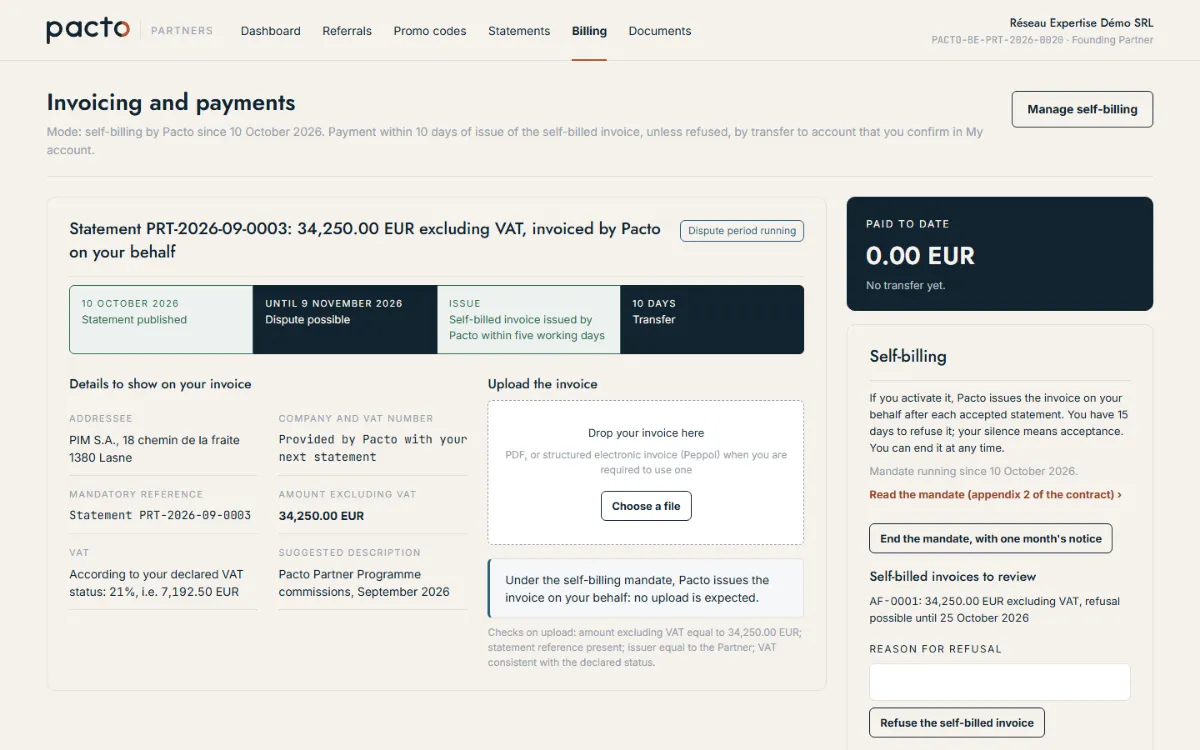
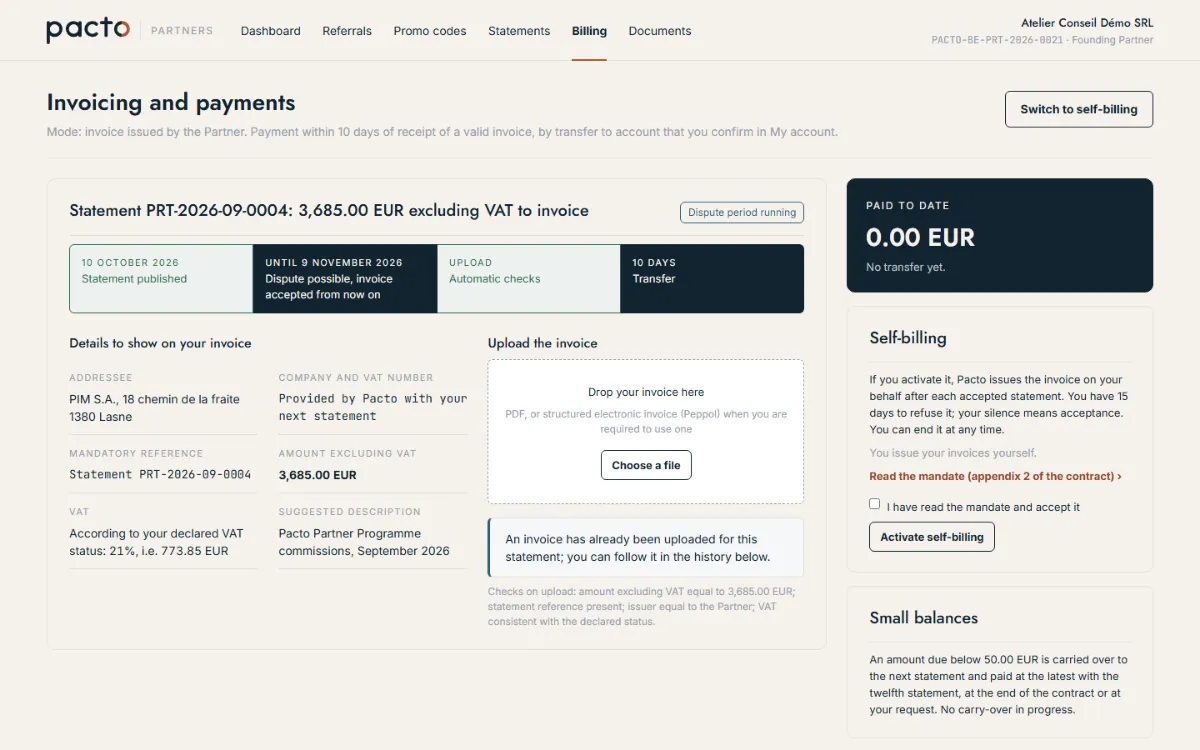
Landmarks of the screen
- 1The steps, from the published statement to the transfer.
- 2The total already paid, updated with every payment.
06 Documents
Your documents, always at hand
Your contract, the rules you have accepted and their fingerprint, the presentation materials and the export of your entries await you in Documents. There you find at any time the exact version that applies to you.
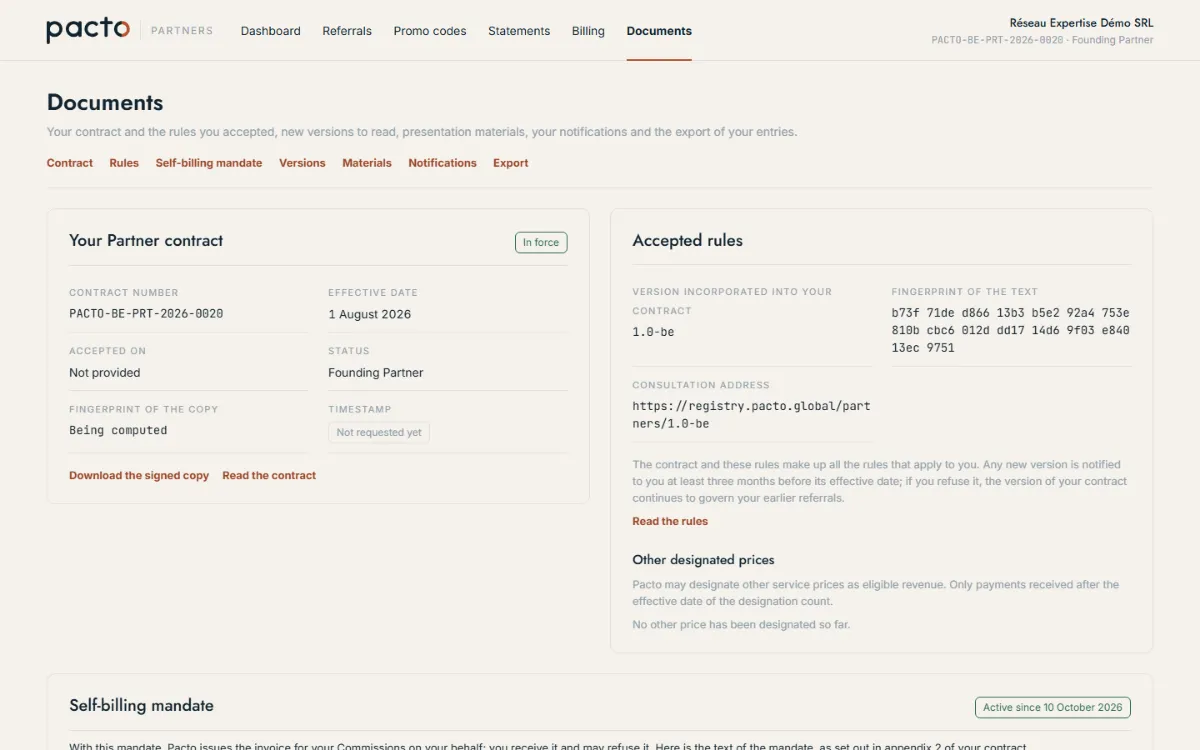
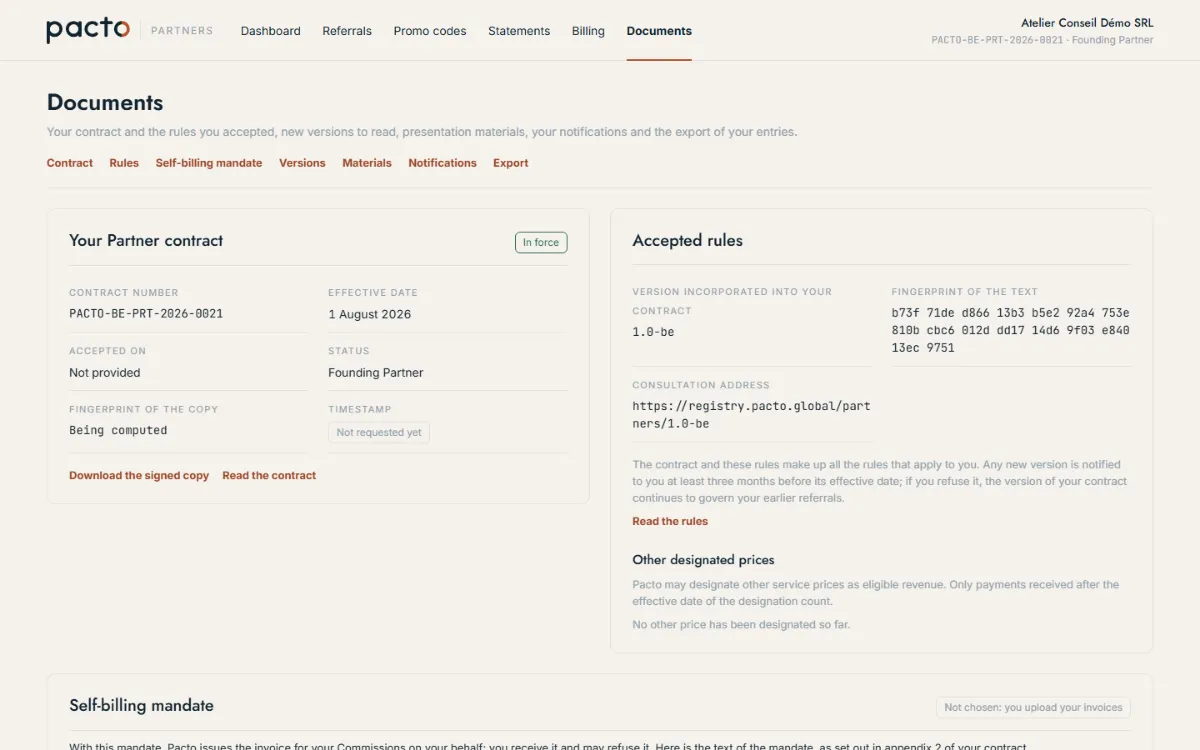
Landmarks of the screen
- 1Your contract, with its number and its effective date.
- 2The accepted rules, their version and their fingerprint.